Flight search that fits in your pocket
FlyTicket compares fares across 900+ airlines and agencies, and lets you run the whole search by chatting with FlyBot. Free to download, no booking fees.
- airlines & agencies
- 900+airlines & agencies
- currencies
- 100+currencies
- languages
- 6languages
- booking fees
- $0booking fees
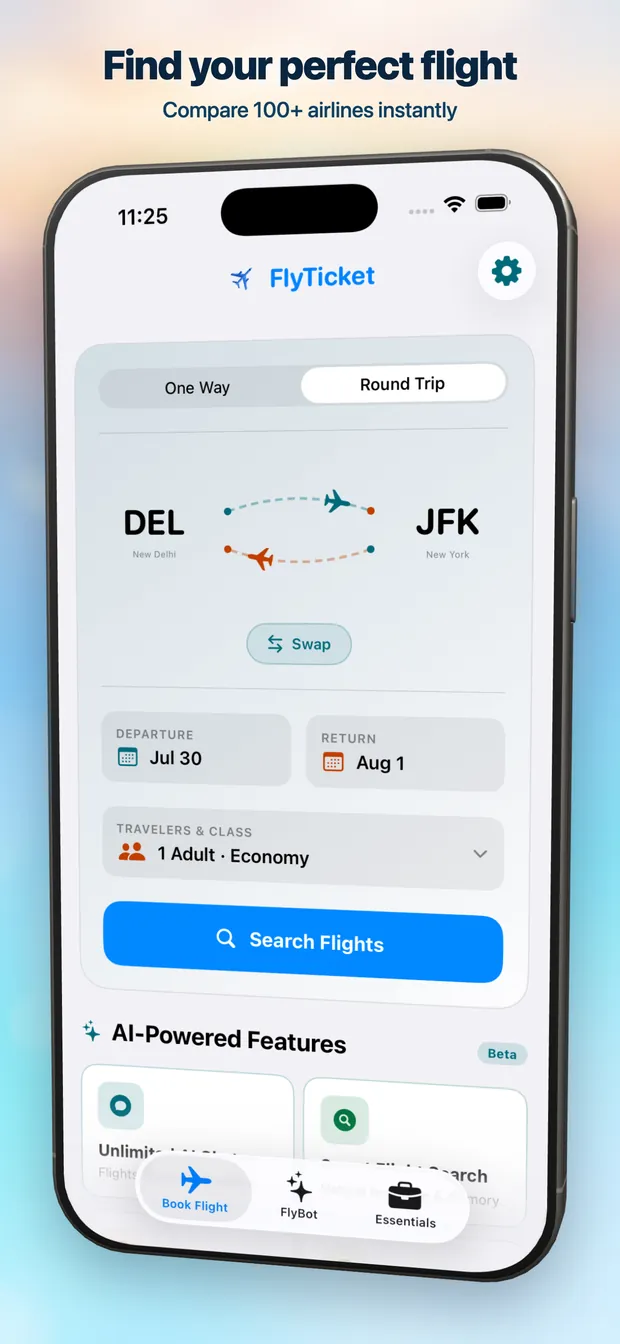
A look inside
Search, chat, compare, book — and everything else the trip needs.
What the app does
Everything on flyticket.app, plus the things only a native app can do.
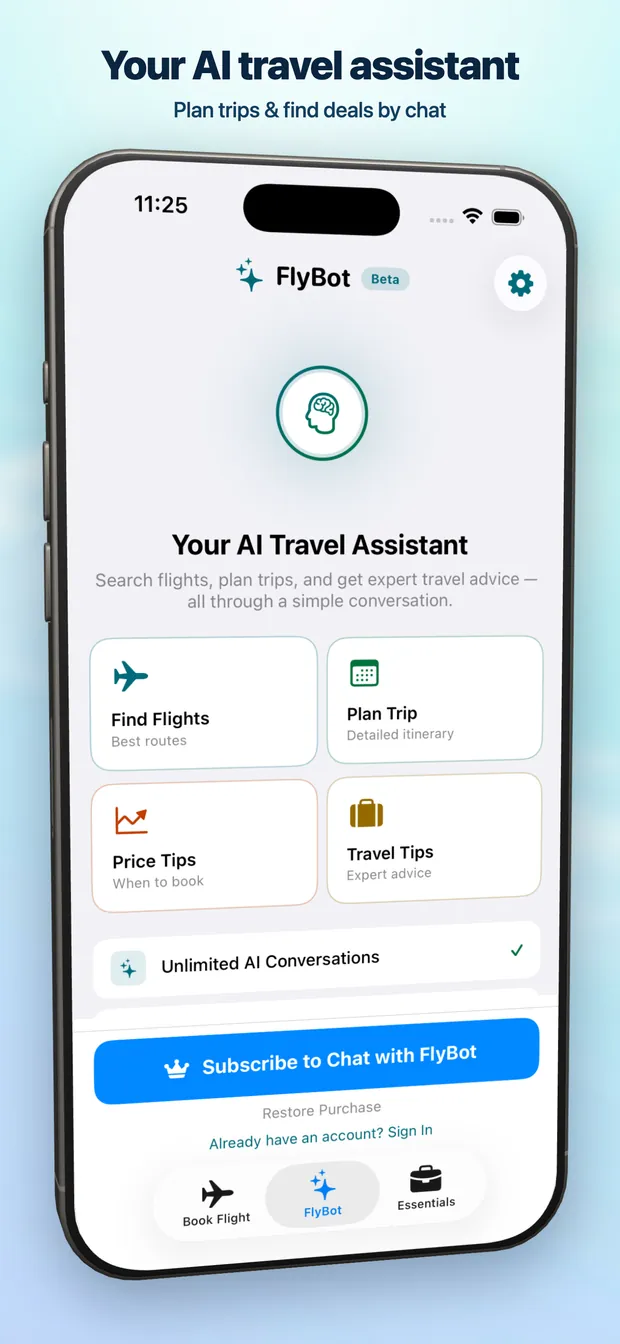
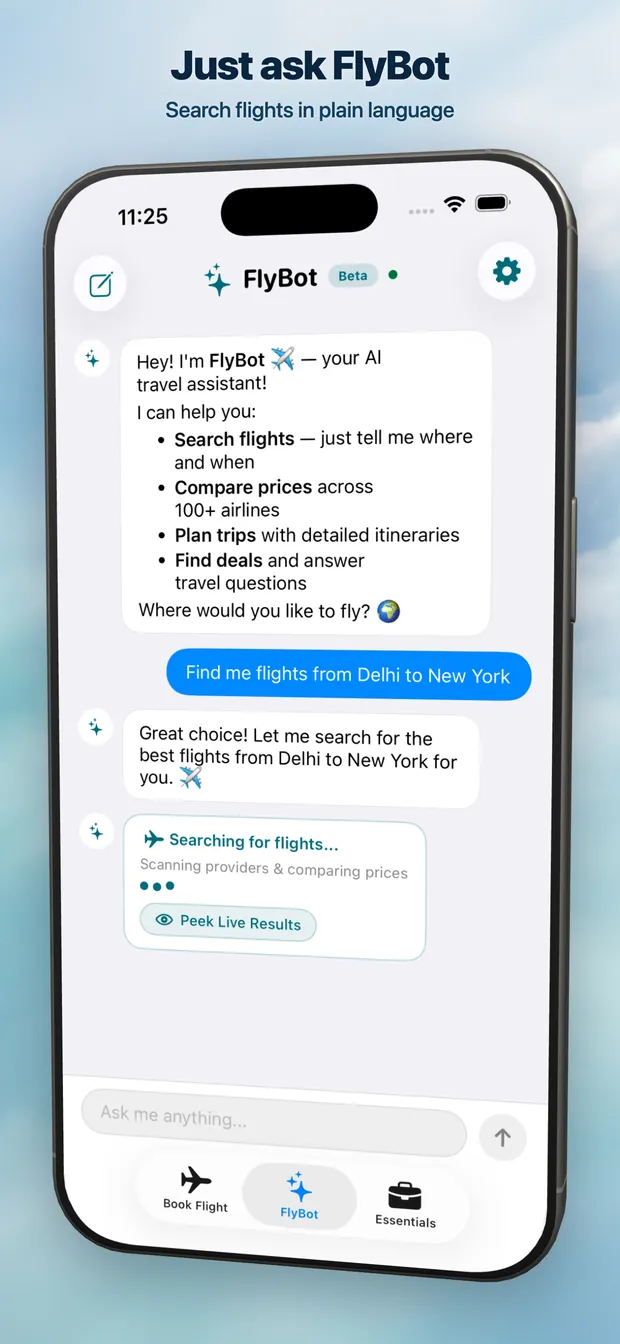
FlyBot, your AI travel assistant
Say "cheap flights to Tokyo in March under $700" and FlyBot runs the search, reads the results back, and remembers the trip you are planning.
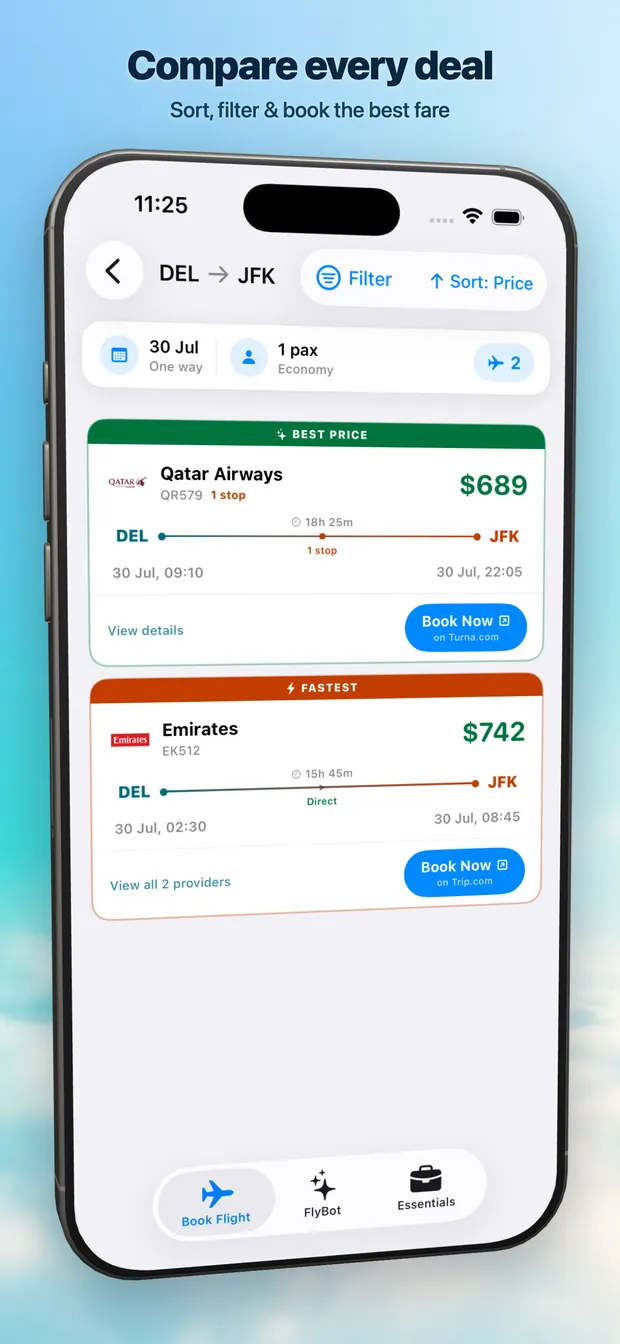
Every airline in one search
One query fans out across 900+ airlines and online travel agencies, then ranks what actually came back by price, duration and stops.
A price calendar, not a date picker
See what each departure date costs before you commit. Shifting a trip by a day is often the whole saving.
Filters that go deep
Cut results by stops, layover airport, departure window, cabin baggage, refundability and fare rules — not just price and time.
The rest of the trip too
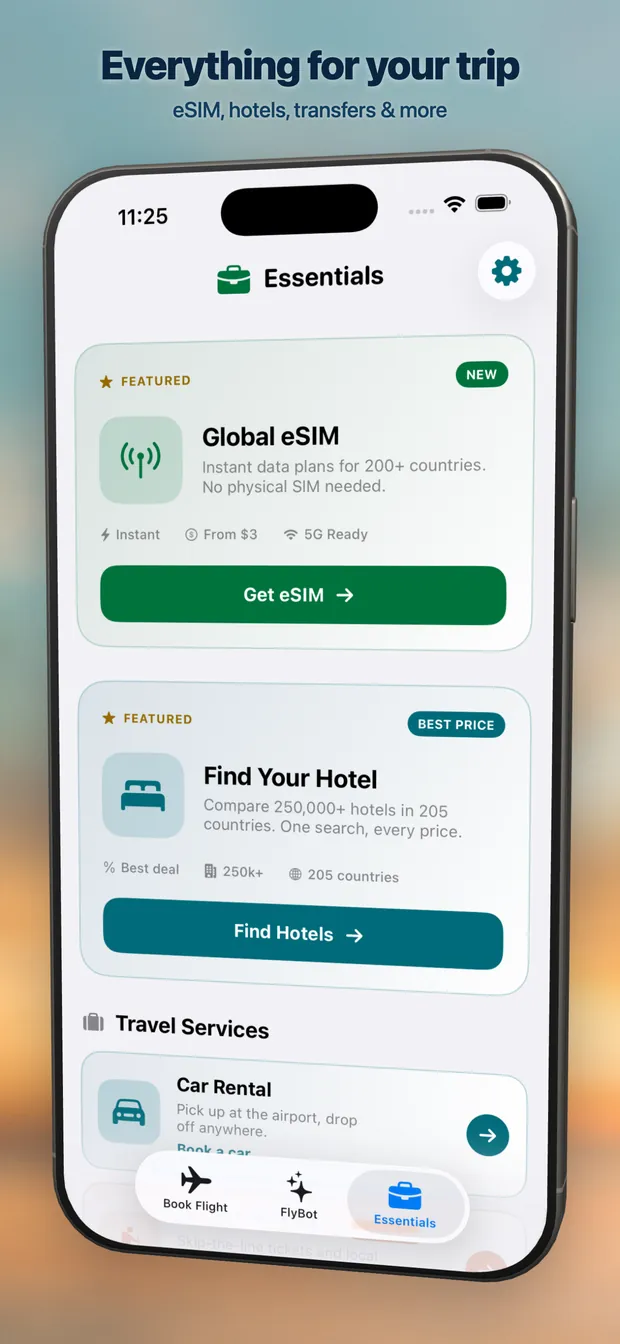
eSIM data, hotels, car rental, activities and travel insurance sit next to the flight, so the booking does not scatter across five apps.
Priced in your currency
Live conversion across 100+ currencies, so the number on the card is the number you compare.
Why install it
The website does the search. These are the parts that only make sense on the phone.
Sign in with Apple
One tap, no password, no email handed over. Subscriptions run through the App Store and cancel there too.
Your chats stay on the device
FlyBot conversations and recent airports are stored locally on your iPhone. There is no cloud sync of your chat history.
Speaks your language
English, German, Spanish, French, Polish and Russian, picked up from your device language — no setting to find.
Android is on the way
The Android build is in development. Until it lands, flyticket.app runs the same search in any mobile browser.
Questions
Is the FlyTicket app free?
Yes. Searching, comparing and booking flights is free, and FlyTicket never adds a booking fee — you pay the airline or agency directly. An optional Premium subscription unlocks unlimited FlyBot AI conversations.
Which devices does the FlyTicket app support?
FlyTicket runs on iPhone with iOS 18.0 or later. It also runs full-screen on iPad. An Android version is in development — join the waitlist on this page to hear when it lands.
Is there an Android version of FlyTicket?
Not yet. The Android app is in development. You can add your email to the waitlist on this page and we will notify you the day it goes live. In the meantime flyticket.app works in any mobile browser with the same search and results.
Do I book inside the app?
FlyTicket compares fares and then hands you off to the airline or agency selling that fare to complete the booking, so your ticket and your payment stay with the operator. Your itinerary, changes and refunds are handled by them.
What is FlyBot?
FlyBot is the built-in AI assistant. Describe a trip in plain language and it turns that into a live flight search, explains why one option beats another, and answers questions about baggage, layovers and fare rules. It is currently in beta.
Do I need an account to search?
No. You can search and compare flights without signing in. An account is only needed to sync saved searches, manage a subscription, or use FlyBot.
Get FlyTicket
Free on the App Store. Search in seconds, compare everything, pay no booking fee.